· 4 min read
How a deep-sea website turned into DRAPAI's fashion blog
by Furkan Durna
#drapai #story
My friend and I were looking at random things online, as usual. At some point we started talking about why NASA dropped sea research. I don't remember how we got there. But it reminded us of a site: neal.fun/deep-sea. You scroll down from the surface of the ocean to the bottom, a depth counter goes up, and you pass the creatures that live at each depth.
While we were scrolling through it, my friend said:
"We can use this for DRAPAI. Fashion by years."
I thought about it for a second, and it worked. Instead of going down in depth, you go back in time. Instead of fish, outfits. Then I had the next idea:
"We can wire a CTA at the end for our app???!"
And my friend, in his best Walter White voice:
"You goddamn right."
That is how blog.drapai.com started.
Splitting the work
My friend took the research. He went from Wikipedia down every rabbit hole he could find about what people wore in each era, and came back with a list of looks, years, where they came from and a short line about each one.
I took the site. While I was building the components, I was also figuring out the names and all the small stuff nobody sees: the page titles, the page descriptions, the alt text format for every image. We ended up with two pages, How Women Dressed and How Men Dressed, under a hub called "A deep look through fashion", a nod to where the idea came from.
Every worn look on the blog was made with DRAPAI itself, the same way the app works for its users: a photo of a person and an image of a garment go in, and the person wearing that garment comes out. The models are AI-generated, from a source whose license allows this use. So every era shows the garment on its own and the same garment worn.
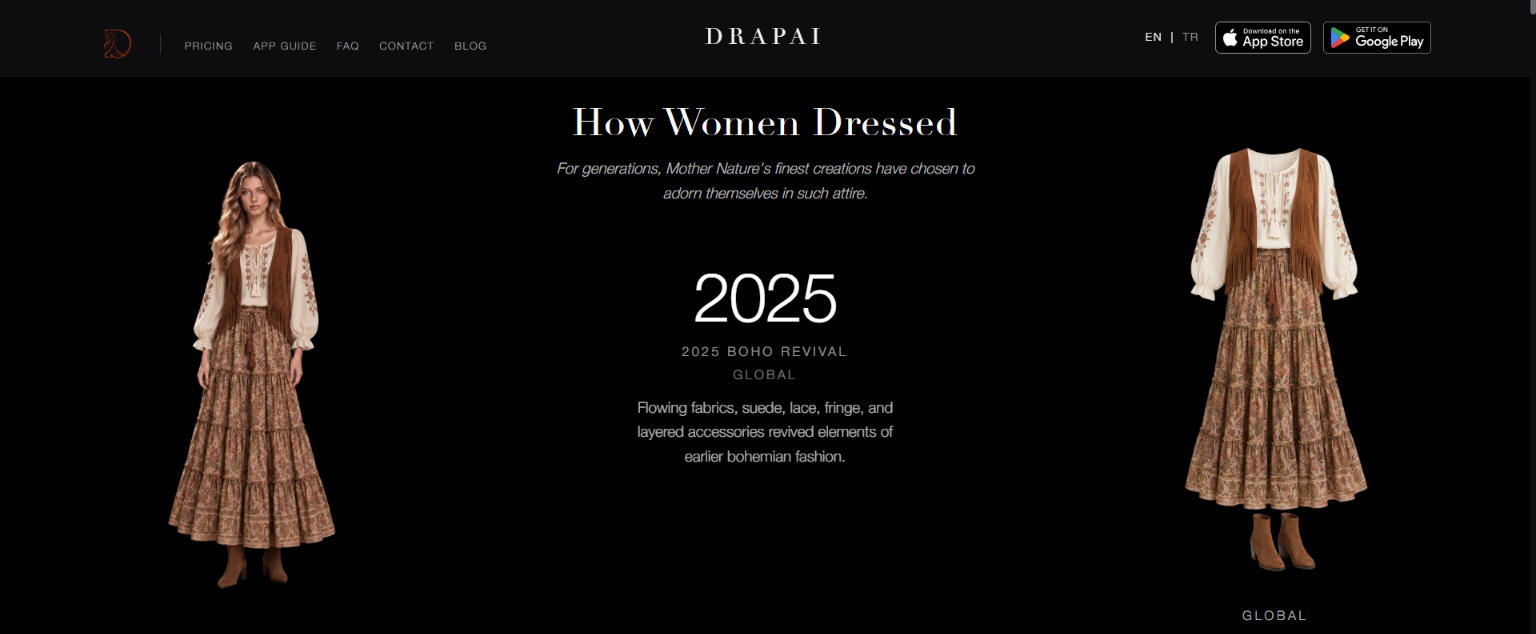
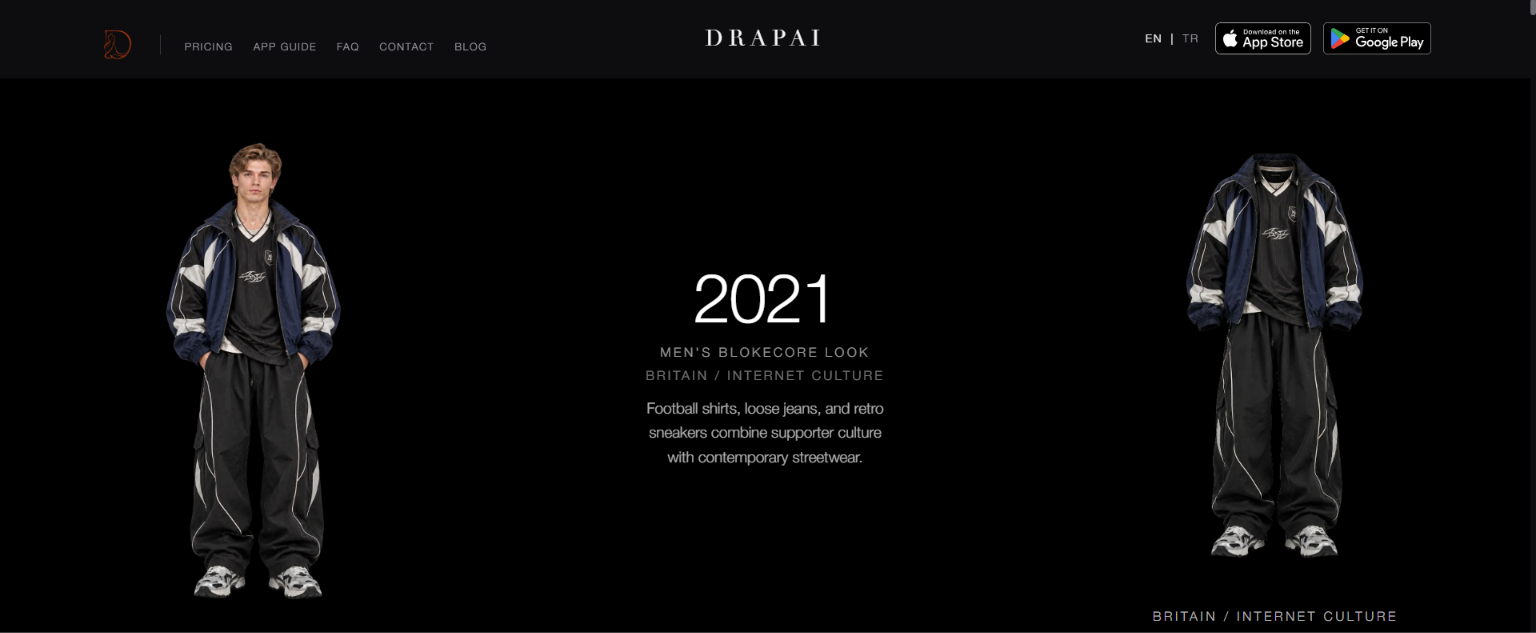
You start at today and scroll back. The women's page goes from 2025 back to 3400 BC, 71 eras. The men's page goes from 2022 back to 2500 BC, 60 eras. Both in English and Turkish.
At the bottom is the part I was excited about: "Wonder how those clothes would look on you?" with a button to try DRAPAI.
Then we published it. Go scroll it.
The tech stuff
For anyone who wants to know how it works.
Layout
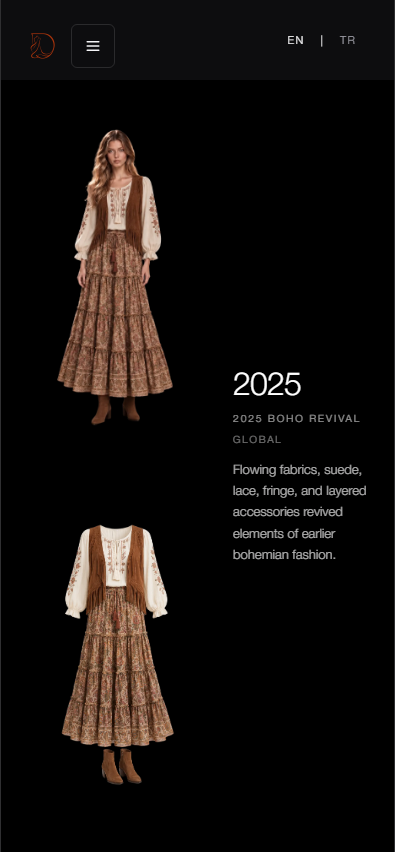
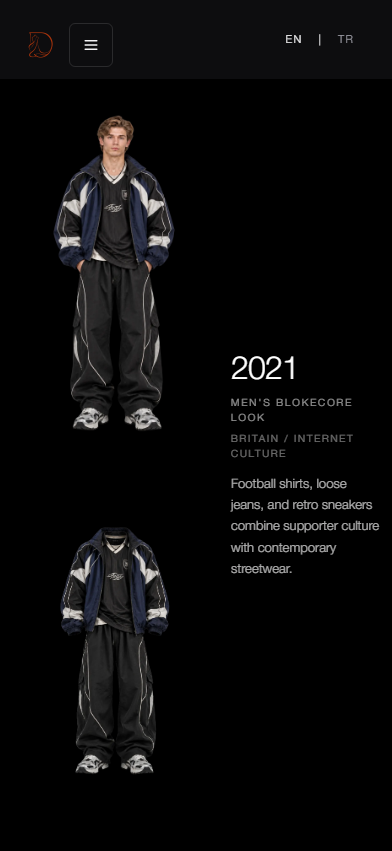
On desktop the screen is split into three equal columns: the worn look on the left, the garment on the right, and the year with the era's name, origin and explanation in the middle. The middle column stays fixed while the images scroll past. On mobile each era takes up one screen, with the two images stacked on the left and the year and text fixed on the right. Each era also gets a background gradient from its own colour palette.
The year counter
This is our version of the depth counter. Between two eras, the counter maps how far you have scrolled onto the years in between, so it counts through every year instead of jumping. Scroll faster and it counts faster. Stop and it stops.
There is no year 0: 1 BC is followed directly by AD 1. Every era is stored as one number, negative for BC and positive for AD, and the counter skips 0 when it crosses over. Otherwise it would briefly show "0", and every span crossing that line would be a year too long.
Content
Each page reads from one JSON file. An entry holds the year, BC or AD, the era name, its origin, a colour palette, both image paths, and the labels and explanations in both languages. Import scripts convert the images exported from DRAPAI to WebP and fill in the IDs, years and paths.
The blog gate
Before launch, the pages were behind a password, so we could share previews without search engines picking them up. A small serverless function checks the password together with a Cloudflare Turnstile token, rate limits attempts, and returns a short-lived signed token that the browser keeps for the session. The site is a static export, so the gate is a build-time switch. With it on, pages are also marked noindex. It is off now, but the code is still there.
One build, two hostnames
blog.drapai.com is the same static build as drapai.com, served from the same folder with Cloudflare in front, so there is only one thing to upload. Adding the subdomain meant updating DNS, the TLS certificate, the Turnstile hostname list and the gate function's allowed origins. That last one matters: without it, unlocking from the subdomain fails the CORS check even with the right password. The bare subdomain redirects to the blog hub with a small script in the root layout, because the host ignores .htaccess rewrites.